

Custom Jersey Design in Under 1 Minute
A quick MerchandAise walkthrough showing how to turn a fan jersey concept into a short-form tutorial video with product visuals, message framing, and a clear CTA.
Open tutorialMerchandAise tutorials
Explore product design examples, artwork techniques, and creative workflows. Take inspiration from a walkthrough, then bring your own idea to a supported product in real-time 3D.
12 tutorials · Page 1 of 2
A quick MerchandAise walkthrough showing how to turn a fan jersey concept into a short-form tutorial video with product visuals, message framing, and a clear CTA.
Open tutorial
A short MerchandAise tutorial covering how an ice hockey jersey concept is framed for quick video delivery, from product visuals to hook-led messaging and CTA structure.
Open tutorial
See how MerchandAise frames a launch-ready design challenge video with collection visuals, value-led copy, and a clear next-step CTA.
Open tutorial
Watch how a live challenge announcement is structured for short-form video, from the opening message to the CTA and publish-ready creative.
Open tutorial
A short tutorial on presenting a self-serve fan design flow with clear product visuals, creator energy, and action-oriented copy.
Open tutorial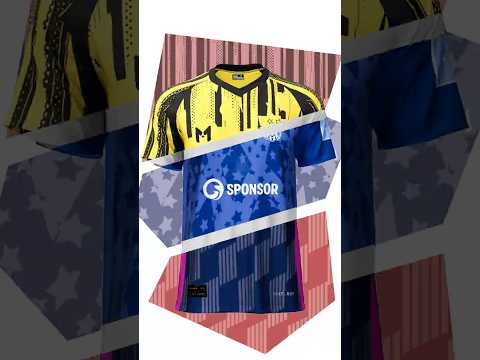
Learn how MerchandAise turns a fast custom product concept into a short tutorial with clear sequencing, product focus, and conversion-ready messaging.
Open tutorial
A quick logo concept tutorial showing how MerchandAise presents material depth, lighting, and premium finish cues in short-form video.
Open tutorial
Watch a mobile-first T-shirt design tutorial that highlights quick creative iteration, on-phone editing, and a clear customization outcome.
Open tutorial
Part one of a quick jacket design walkthrough covering the opening concept, styling direction, and short-form creative setup.
Open tutorialFrom learning to making
You bring the idea and feedback. Explore the tools, inspect the product, and refine the details one step at a time.
Learn how AI-assisted design helps you describe what you want and refine it through feedback.
Explore AI-assisted designExplore supported products in real time, then open the editor to try colors and place artwork.
Explore the 3D configuratorShare your product idea, quantity, budget, and delivery needs when you are ready to discuss a project.
Talk about your project