
Prepare a Custom Product Design
Choose a product, prepare your design, review supported 3D options and confirm the specific production offer before ordering.
What you will prepare
This guide helps you prepare a custom-product brief and a design that can be reviewed. It does not promise a finished order in a particular number of minutes. The available design controls, minimum quantity and production path depend on the selected product.
Start with the product and use
Choose a starting product in the shop. Write down who will use it, the planned quantity, any sizes or variants, the delivery destination and the date you need it. Check the actual product details before deciding that a visually similar item meets your requirements.
Prepare and review the design
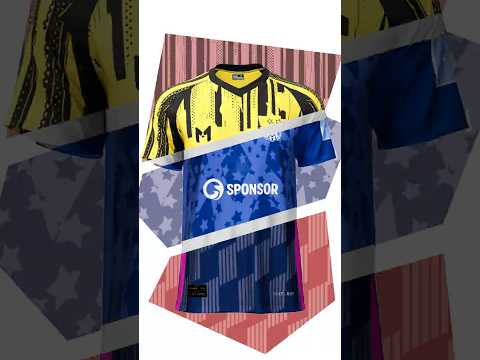
Bring a description, reference image or artwork you are entitled to use. On supported products, interactive 3D helps you review colours and artwork placement. Use feedback that names the exact product, placement and desired change. A screen preview cannot establish physical fit, material feel or production feasibility. Save the version you want reviewed so feedback and the supplier enquiry refer to the same design.
Confirm the next step
Ask for confirmation of the exact product, decoration, quantity, price, delivery terms and required proof or sample path. A saved design is not an accepted quote or a production approval. If a needed option is unavailable, describe the requirement in an enquiry rather than assuming another product or method is equivalent.
You can browse products and learn about the configurator. For a special requirement, share the brief.
Key steps
- 1Choose a starting product that fits your intended use, quantity and recipient.
- 2Describe the design or prepare artwork you have permission to use.
- 3Review supported colours and artwork placement, and save the exact version for feedback.
- 4Request confirmation of production, quantity, price and delivery before ordering.
FAQ
Does the 3D preview approve production?
No. It supports visual decisions. The product and producibility, commercial terms, and required proofs or samples need separate confirmation.
What if my needed option is unavailable?
Share the brief for review. An enquiry does not guarantee a suitable production option.